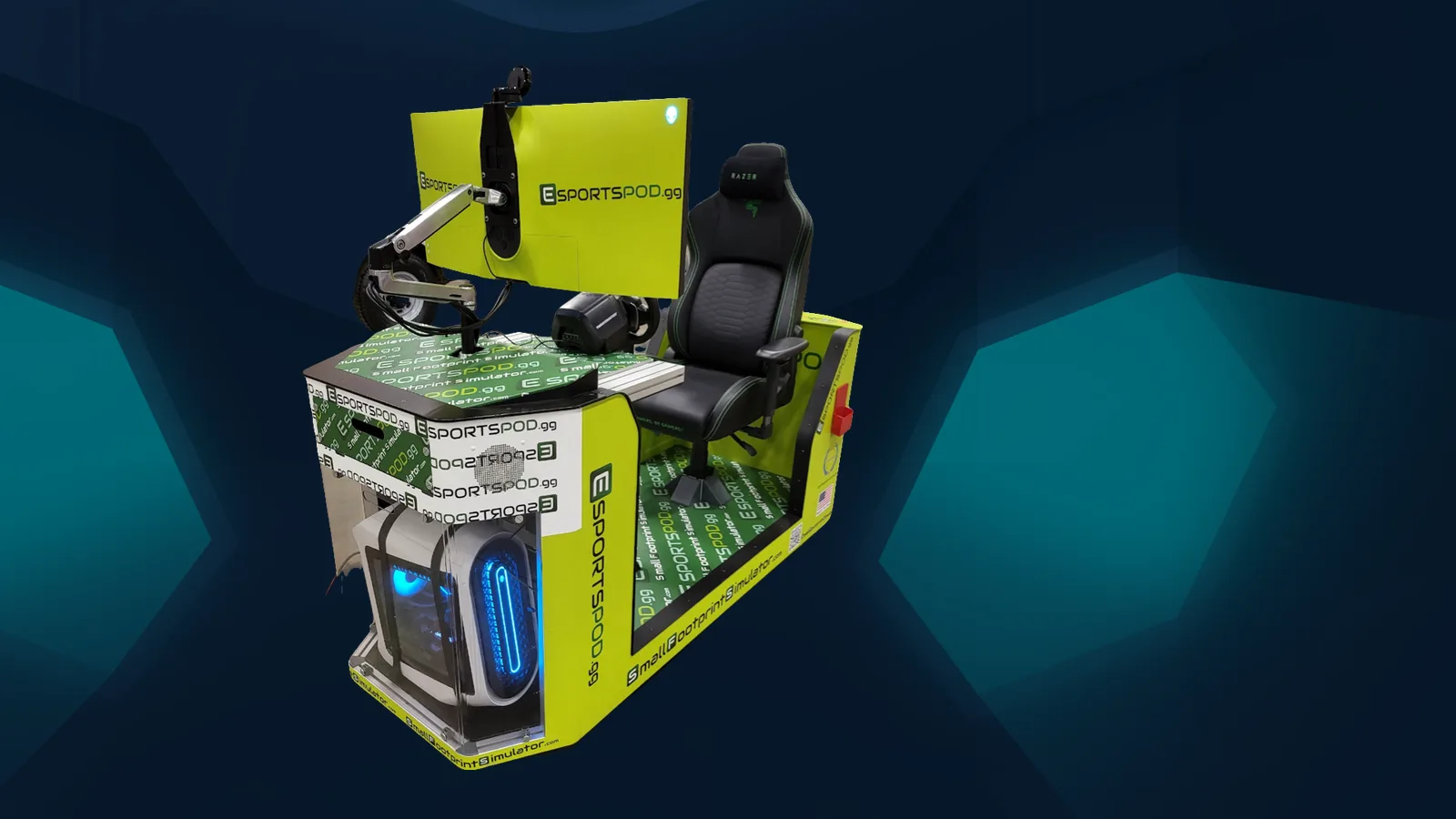
A school can launch an esports program in one semester by starting with a complete, ready-to-use station instead of building one from parts. Esport Pod by Sports Media, Inc. arrives installed, with training included, and rolls into a classroom on a standard 110V outlet. The hard part becomes people and schedule, not hardware.
Key takeaways
- Weeks 1 to 4: pick your sponsor, space, games and staff lead.
- Weeks 5 to 8: install pods, train staff, set up the roster.
- Weeks 9 to 16: practice, scrimmage, and run a first showcase.
- Pods roll, so one room can serve many classes.
How long does it take to start a school esports program?
One semester is realistic if the equipment question is already solved. Most delays in new programs come from procurement, wiring and finding a place to put six to ten PCs.
A pod removes most of that. Each unit is a single-seat station with an Alienware PC, a 38-inch curved monitor, Razer chair, headset and camera, built-in Wi-Fi and a modem. You still need a coach, a schedule and student interest. Those take real work, but they don't require an electrician.
What does a one-semester timeline look like?
Think in three phases. This is a planning sketch, not a guarantee, and your calendar and approvals will shift it.
- Weeks 1 to 4, decide. Name a staff lead, confirm the room or rooms, choose the games and any simulation pathways (racing, flight), and get budget approval. Decide whether sponsorship will help fund the program.
- Weeks 5 to 8, install and train. Pods are delivered and installed, and Sports Media, Inc. trains your staff. Students sign up, and you set rules for use, grades and conduct.
- Weeks 9 to 16, play. Start with open practice, move to team practice, schedule a scrimmage, and end the term with a showcase for families and administrators.
If you're short on time, shrink the scope instead of the quality. Pick one or two games and one simulation option, and add more next term.
What do you need besides the pods?
You need a staff sponsor, a room, a schedule and a student sign-up process. That's the short list, and none of it costs a lot.
- A coach or advisor: a teacher or CTE lead who's willing to own the program.
- A space: a classroom, library or lab with an outlet. The pod's footprint is small, and it fits through standard doors and into elevators.
- A policy: eligibility, grade requirements, device rules and parent communication.
- A plan for the wall: the projector slot mirrors the screen to a classroom wall, so spectators and teams can watch together.
Your IT lead will want to review network access. Each pod has built-in Wi-Fi and a modem, but your district's policies still apply.
How much does it cost?
Pods are sold in deployments of 10, 20 or 30 for $300,000, $600,000 or $900,000, which is about $30,000 per pod. Installation, training and sponsorship support from Sports Media, Inc. are included.
That's a real budget line, so most schools will pair it with capital funds, grants, CTE money or sponsorship. We offer sponsorship and media rights, including NIL access for student athletes and broadcast rights, and you can read the details on our sponsorship page. Optional extras are VR at $1,499, the T248 wheel set at $599.99 and a TSS handbrake at $285.
How do you keep students engaged after launch?
Give them a reason to show up beyond a trophy. Esports works best when it connects to classes, careers and community, not only competition.
Racing and flight pods tie into STEM and aviation interests. A streaming camera on every pod lets students try broadcasting, production and social media. Our internships page covers how students can build experience in those areas.
One caution on competition: online matches across distance always add ping, so they aren't equal conditions. Identical network conditions only hold at in-person LAN events. Plan at least one LAN day with a neighboring school if fairness matters to your students.
Frequently asked questions
Can a school really launch in one semester?
Yes, if you scope it sensibly. Pods arrive installed and ready, with training included, so you aren't waiting on a build. Most of your time goes to naming a coach, choosing games, setting eligibility rules and recruiting students. A modest first term beats a perfect plan that never starts.
Do we need a dedicated esports room?
No. Pods roll on wheels, fit through standard doors and into elevators, and run on a standard 110V outlet. You can park them in a library, lab or classroom and move them out when the room is needed for something else.
What does a pod deployment include?
Each deployment of 10, 20 or 30 pods includes installation, training and sponsorship support from Sports Media, Inc. Every pod ships with identical hardware: an Alienware PC, a 38-inch curved monitor, a Razer chair, headset and camera, plus Thrustmaster simulation controls.
Can we use sponsors to help pay for it?
Possibly. Sports Media, Inc. offers sponsorship support, and rights packages can include digital rights, NIL access for student athletes, pod usage rights and broadcast or OTT rights. What's allowed depends on your district and state policies, so check with your administration first.
When you're ready to pick dates, book a demo and we'll build a semester plan around your calendar.