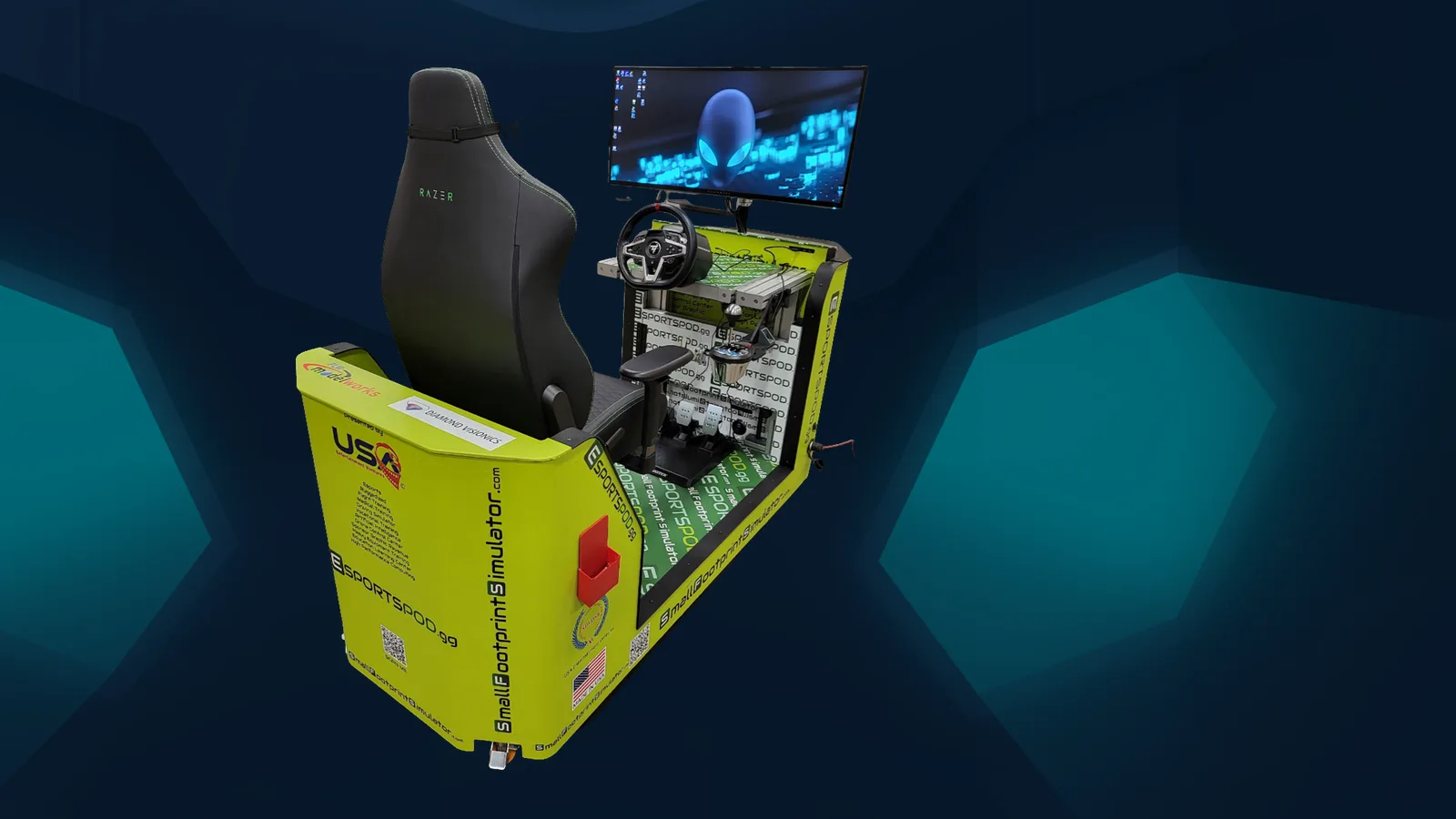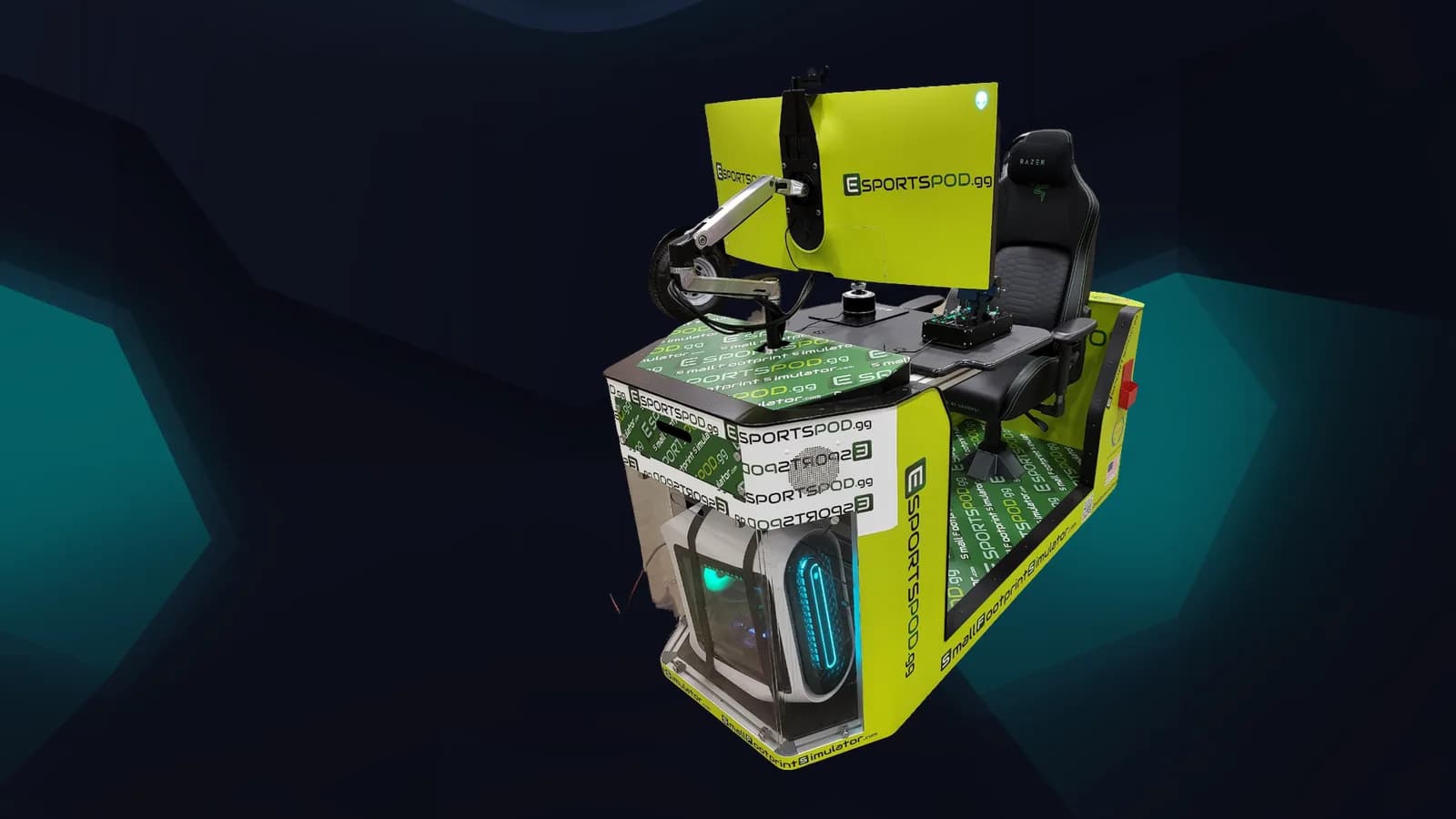
Streaming a match from an Esport Pod by Sports Media, Inc. starts with what's already built in: a Razer Kiyo streaming camera, a Razer Kraken headset and a 38-inch curved monitor on every pod. On the rights side, the program offers digital rights and broadcast/OTT rights to sponsors, so the stream is both a program feature and a sponsorship asset. The practical work is in consent, ownership and production quality.
Key takeaways
- Each pod has a streaming camera, headset and a projector slot for room-wide viewing.
- Digital rights and broadcast/OTT rights are part of the sponsorship package.
- The Fanz network offers a community of 200k+ across Twitch, YouTube and social for distribution.
- Settle student consent, ownership and music licensing before you go live.
- A simple, consistent show beats an ambitious one that breaks.
What can you stream from an Esport Pod?
Matches, practice sessions, student commentary, racing and flight simulation, demos and event highlights. The pod's hardware is built for it: the Alienware PC handles gameplay and encoding, the Razer Kiyo captures the player's face, and the headset carries clean voice.
The projector slot also mirrors the screen to a classroom wall, so a live audience in the room can watch while the online audience watches the stream. Specs are on the products page.
What are media rights in an esports program?
Media rights define who may record, publish, broadcast and monetize content from matches and events. In our program the rights on offer include digital rights and broadcast/OTT rights, together with intellectual property, pod usage rights and NIL access.
For a school, this means a stream isn't only a stream. It's something a sponsor may have a defined interest in, which is why the terms need to be clear. The sponsorship page outlines what each right covers.
How do you set up a basic broadcast?
Keep the first one simple. A workable starter show has a consistent shape:
- Pick a platform your audience already uses, such as Twitch or YouTube.
- Assign roles: one player, one or two commentators, one person running scenes.
- Test audio and camera at least a day before the match.
- Prepare a short intro card, a score display and a closing screen.
- Record the stream so you have clips afterward.
Audio is where amateur streams fail first. Fix your levels and background noise before you worry about overlays.
What should schools check before going live?
Several things deserve a formal look:
- Student consent: get guardian permission for minors, following district policy on photo and video release.
- Privacy: check for personal information appearing on screen, such as names in chat or on-screen notifications.
- Music: copyrighted songs can get a stream muted or removed. Use licensed or royalty-free tracks.
- Game publisher rules: publishers set terms for streaming and monetizing their games, so read them.
- Chat moderation: a live chat needs a moderator, especially with young players.
Have your legal or compliance contact review the plan. Rules vary by institution and state.
How does distribution through Fanz work?
The Fanz network is a community of 200k+ across Twitch, YouTube and social, and it's how program content can reach beyond the home audience. Content published through those channels is visible at our global esports page and fanz.news.
We'd suggest agreeing on a content calendar with sponsors so a regular schedule exists. Audiences come back to things that happen on a predictable day.
How do you keep a stream sustainable?
Pick a schedule you can keep. One weekly match show beats a daily plan that collapses in a month. Rotate students through roles so no single person becomes a bottleneck, and write a short checklist for setup so the next group doesn't start from scratch.
Review the numbers after a season, including audience, sponsor feedback and what the students learned, then decide what to repeat.
Frequently asked questions
Do I need extra equipment to stream from a pod?
Each pod includes a Razer Kiyo streaming camera, a Razer Kraken V3 headset and an Alienware PC. Most programs will still want streaming software and a reliable wired connection. Larger productions may add a dedicated mixer or a second camera.
Who owns the recordings of student matches?
That depends on the agreements between the school, students, publishers and sponsors. Decide ownership, usage and duration in writing before publishing, and have the institution's counsel review it, particularly where minors appear.
Can sponsors appear in the stream?
Yes, broadcast/OTT rights are part of what we offer sponsors, along with digital rights. Placement, duration and category restrictions should be listed in the sponsorship agreement, and the school must approve anything shown to students.
Is streaming good for the program or a distraction?
Done modestly, it gives students practical media skills, such as commentary, production and community management. It becomes a distraction when it outgrows the staff available. Start small, review after a season, then expand.
Brands interested in broadcast and digital rights can book a demo or reach us at admin@fanz.gg.