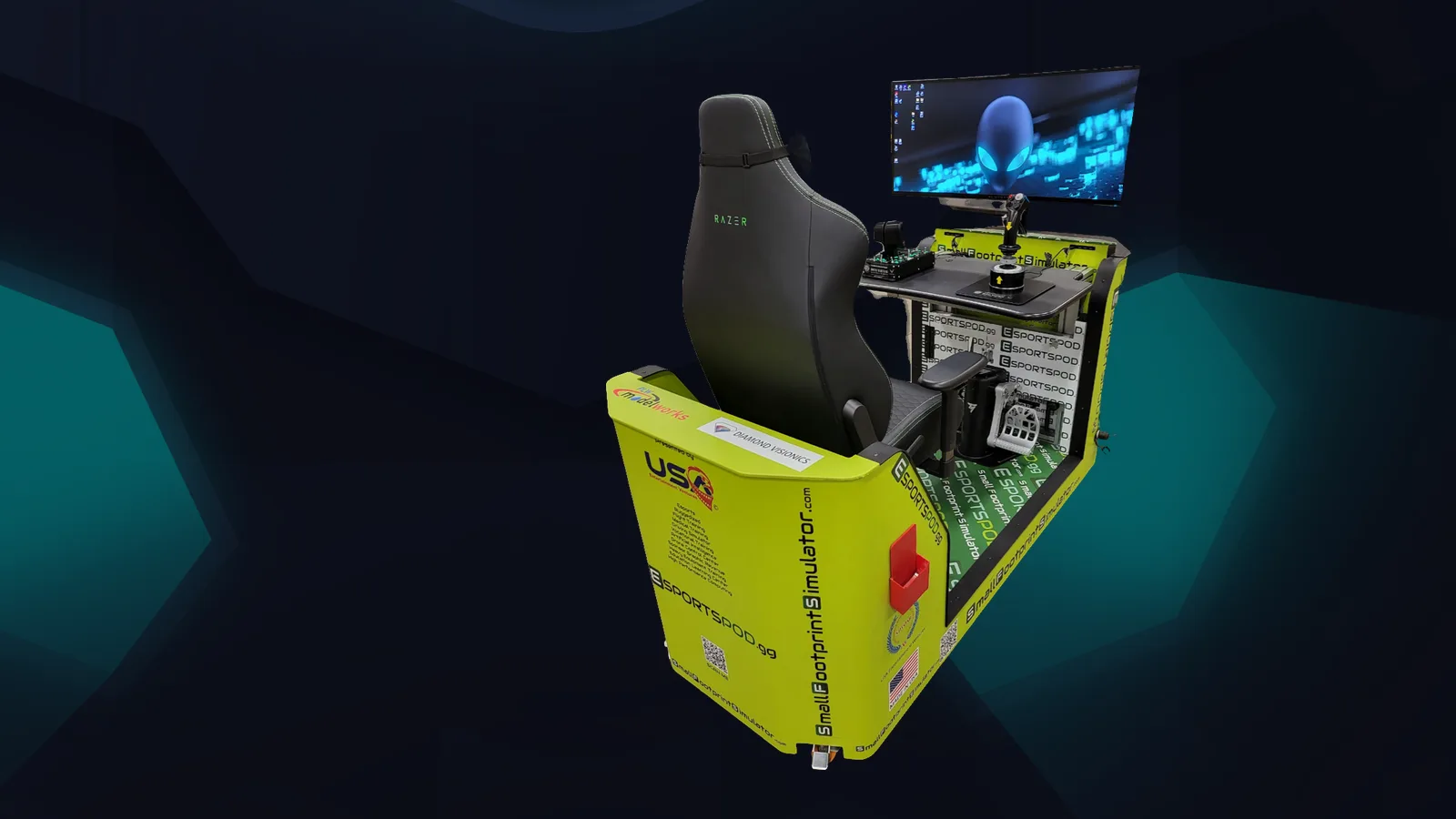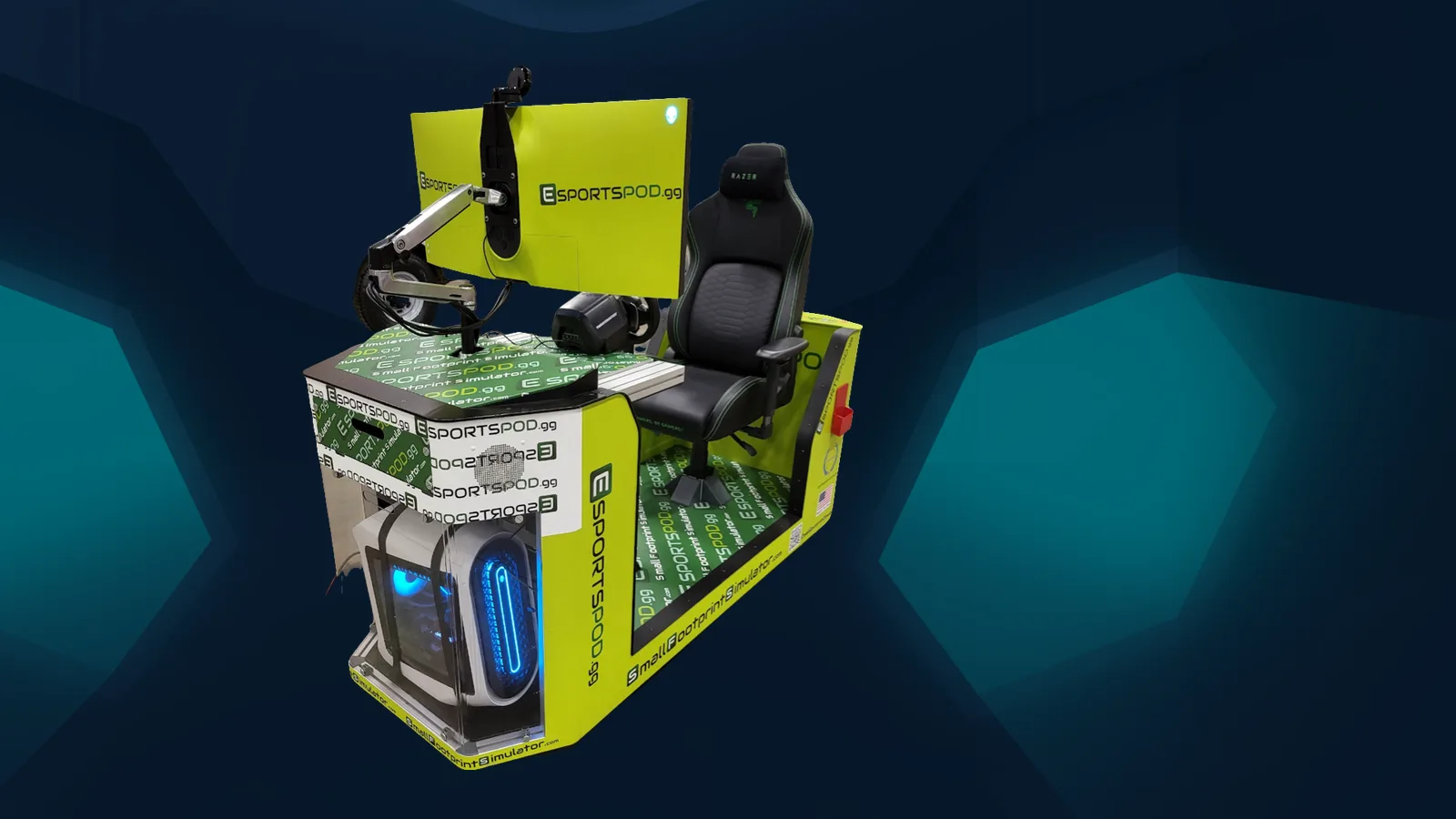
The Esport Pod by Sports Media, Inc. uses a Thrustmaster T248 RS GT wheel, pedals and shifter for racing, and flight controls for flight sims, so one seat can cover both. The hardware is the same in every pod, which means a student at one school sits at the same setup as a student at another.
Key takeaways
- Each pod pairs a Thrustmaster T248 RS GT wheel, pedals and shifter with the Alienware PC and 38-inch curved monitor.
- Flight controls are available for flight sim programming in the same single seat.
- Optional add-ons include a TSS handbrake ($285) and a replacement or extra T248 wheel set ($599.99).
- Identical controls in every pod make practice, scoring and instruction easier to standardize.
What Thrustmaster gear comes inside an Esport Pod?
Each pod ships with a Thrustmaster T248 RS GT wheel, pedals and shifter, or with flight controls, alongside the rest of the station. The rest of the station is an Alienware gaming PC, an Alienware 38-inch curved monitor (3840x1600, 144 Hz, 1 ms), a Razer Enki chair, a Razer Kraken V3 HyperSense headset and a Razer Kiyo streaming camera.
The wheel set is the part most visitors reach for first. It's a real driving interface: a wheel to steer, a pedal set for throttle, brake and clutch inputs, and a shifter for titles that support manual gearing. A teenager who has only ever used a thumbstick tends to go quiet for about ten minutes, then ask to go again.
Why do wheels and pedals change how students learn?
Physical controls make the feedback loop obvious. When a student brakes too late or turns in too hard, the car tells them, and they can adjust their own inputs without a lecture.
That makes the wheel set useful beyond racing as an engagement tool. A student who would never join a shooter league may happily spend a lunch period chasing a cleaner lap. For staff, it gives a low-friction way to start a conversation about reaction time, consistency and reviewing your own performance.
- Wheel: steering input, the main thing students will feel and adjust.
- Pedals: separate throttle and brake control, which is where most lap-time gains come from.
- Shifter: manual gear changes for titles and drills that use them.
- Handbrake (optional TSS, $285): useful for drift and rally content.
How do the flight controls fit into the pod?
The flight controls mount to the same single-seat station, so a pod can run a flight sim session and a racing session without moving to another room. The curved 38-inch display gives a wide field of view, and the optional HTC Vive Pro Eye VR headset ($1,499) is available for programs that want a more immersive cockpit.
For CTE and aviation-minded programs, this is a practical on-ramp. Students get basic familiarity with throttle, stick and instrument scanning before they ever touch real equipment. We'd call it an introduction, not a replacement for training, and your instructors should frame it that way.
Can you swap or add controls later?
Yes, the add-ons are priced separately, so you can start with the standard configuration and add pieces as a program grows. The T248 wheel set lists at $599.99 and the TSS handbrake at $285.
Pod deployments themselves are sold in packs of 10, 20 or 30 pods ($300,000, $600,000 or $900,000, roughly $30,000 per pod), including installation, training and sponsorship support from Sports Media, Inc. Ask about add-ons when you request a quote, so they're written into the same document.
What should staff know before putting students on a wheel?
Treat the first session like any other equipment orientation. Show students how to adjust the Razer Enki chair, set the wheel angle comfortably and keep their hands off the shifter until they've settled in. The pod rolls on wheels and runs on a standard 110V outlet, so repositioning between sessions is easy.
Because every pod has identical hardware, you can write one short orientation card and use it everywhere. If you run a LAN event with several pods in one room, the network conditions are the same for everyone too. Online play over distance always adds ping, so don't promise students equal conditions outside the room.
Frequently asked questions
Which Thrustmaster wheel does the Esport Pod use?
The pod uses the Thrustmaster T248 RS GT wheel, pedals and shifter. If you want an additional or replacement wheel set, it's listed at $599.99. A TSS handbrake is available separately for $285 if your program wants drift or rally content.
Are flight controls included in the pod?
Pods ship with either the Thrustmaster racing set or flight controls, depending on the configuration. The same single-seat station supports both kinds of sessions. Confirm exactly which controls you want in your deployment when you request a quote, so the order matches your program plan.
Can students use VR with the racing and flight controls?
Yes, an HTC Vive Pro Eye VR headset is an optional add-on at $1,499. It pairs with the wheel or flight controls for a more immersive experience. Plenty of programs run well without it, so treat VR as a choice, not a requirement.
Do all pods have identical controls?
Every pod ships with identical hardware, so students get the same experience at any station. That consistency helps with instruction, scoring and events. It doesn't make online matches across distance equal, since ping always varies, but at an in-person LAN event conditions match.
If you'd like to feel the wheel and pedals for yourself, book a demo and we'll walk through the setup. You can also see the full hardware list on the products page, or read about our wider esports program.